

Describe the design
Bring a brief and key dimensions. Build sketches, extrusions, lofted sections and real parametric features in Fusion.
AI-assisted CAD · Development preview
Fusion Automated Reasoning Assistant connects your AI assistant to Autodesk Fusion. Watch sketches, extrusions, lofts and patterns appear, then inspect the real model before the next step.
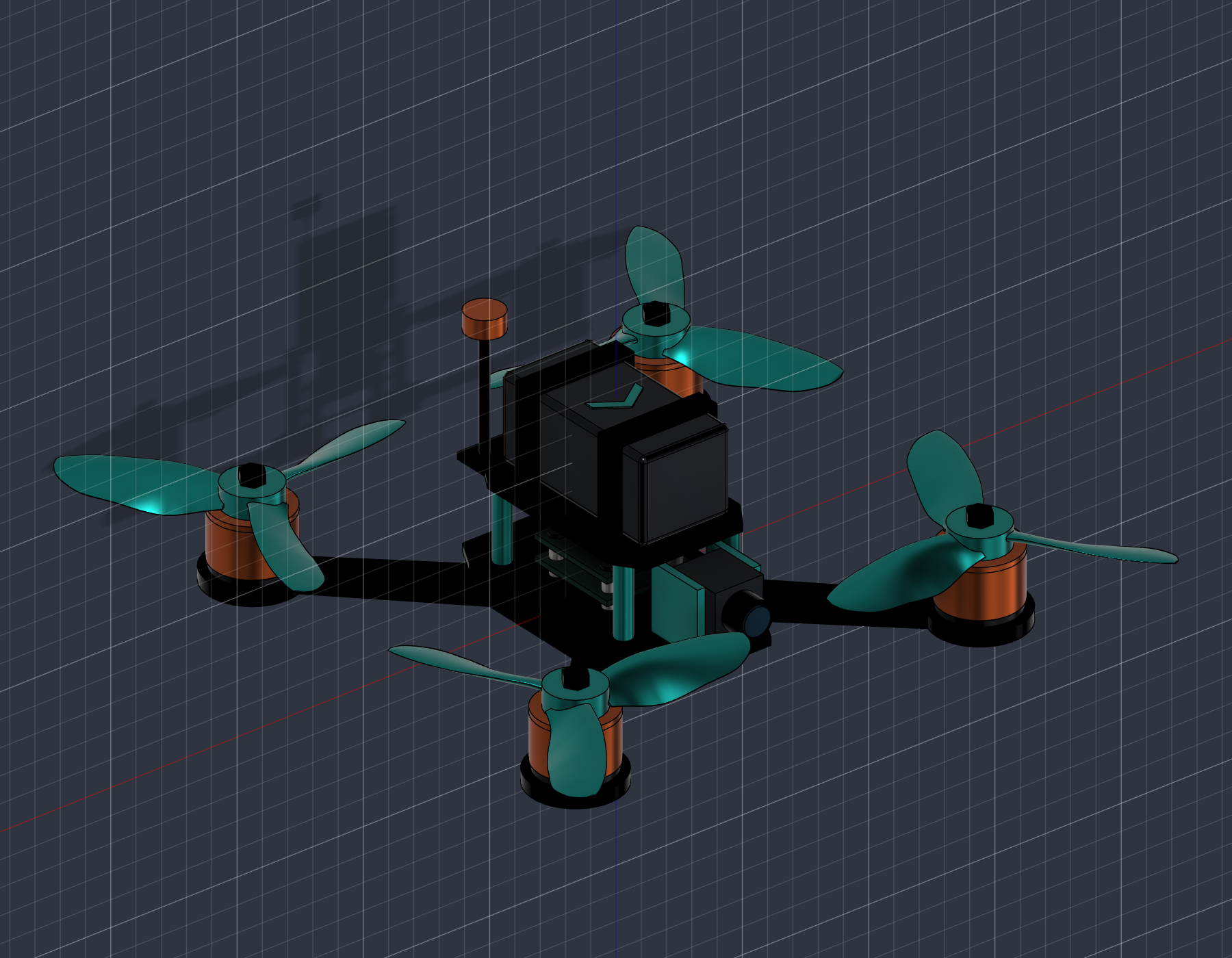
Built in Fusion with FARA
A real CAD study, from lofted rotor sections to native patterns, mirrored motor sets and battery straps routed through the frame.
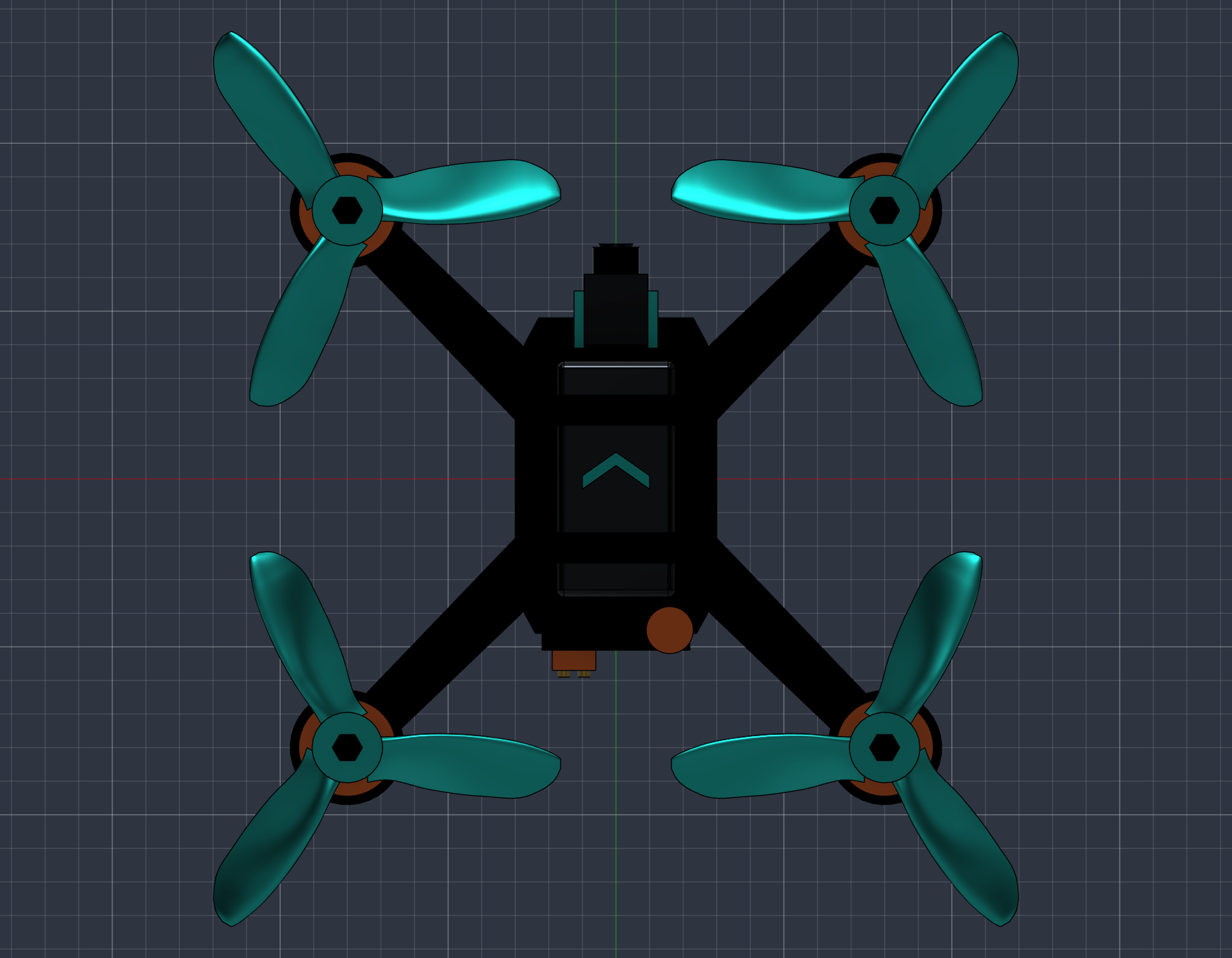
Actual FARA conventional-propeller v3 geometry, checked on 6 November 2026. The conventional airfoil design reports 356 healthy features/sketches. The final arms and motor sets use native mirrors of a seed. Revision timelines retain earlier individually built entries behind Remove features. This is geometric validation: flight, thrust, CFD, strength and balance have not been established.
Overview
FARA is a local MCP bridge for Autodesk Fusion, built by Aotearoa Labs. Your AI plans the steps; FARA performs defined operations through the Fusion API and reads the resulting geometry back for review.
The conventional-propeller FPV drone shown here is an actual FARA CAD output: lofted airfoil rotors, native blade patterns, mirrored rotor sets, slotted battery straps, and editable F3D plus STEP exports.
FARA is a development preview. Selected workflows have been checked in the development environment; your Fusion version, licence and AI connection need onboarding checks. Autodesk Fusion and your AI account are supplied separately. FARA is independent of Autodesk and is not endorsed by it.
What it does
Bring a brief and key dimensions. Build sketches, extrusions, lofted sections and real parametric features in Fusion.
Use native circular and rectangular patterns and mirrors for blades, arms, motors and repeated details.
Read feature health, topology, bounds and contact distances. Review the actual result in Fusion after each operation.
Save native F3D with its timeline, STEP geometry and clear views for your own engineering review.
FARA bridge licences · Same rates as SARA
FARA and SARA are separate product licences. Autodesk Fusion and AI provider charges are paid separately. Discuss your workstation and workflow before activation.
US$200/month
One named user · one active workstation
US$500/month
Up to three named users
US$450/month
One user · three-month minimum
US$950/month
Up to three users · three-month minimum
Team starts at the three-seat price even when two seats are used. Four Team users: US$650/month; five: US$800/month. Guided plans include a prompt playbook and example workflows. Priority response is a target, not a guaranteed resolution time.
A guided start
Guided setup, four 60-minute live online sessions over the first six weeks, four support hours usable within 60 days, and a workflow playbook.
US$1,490 when paired with a Guided monthly plan.
Setup & support
Licence-only setup: US$499 for up to three hours. Extra support: US$150/hour with prior approval. A scoped four-week pilot is US$1,500, subject to readiness and agreed scope.
Arrange a FARA demonstration ↗Prices in USD, excluding applicable taxes. Unused monthly support does not roll over. Scope and terms are agreed before activation. Account sign-in and subscription billing are being prepared; this page does not currently collect payment.
The FARA Windows setup app is being prepared around WorkOS browser sign-in, a separate FARA subscription through Stripe, FusionBridge installation and selected MCP client connections. Release access follows validation of that complete account-to-Fusion workflow. Your designs remain yours; your organisation chooses which information may be shared with its AI provider.
Explore more from Aotearoa Labs
 AOTEAURORA→
 AddVenture→
 AddVenture Intermediate→